Hotel EMC2’s service robots and smart-room features: how they work
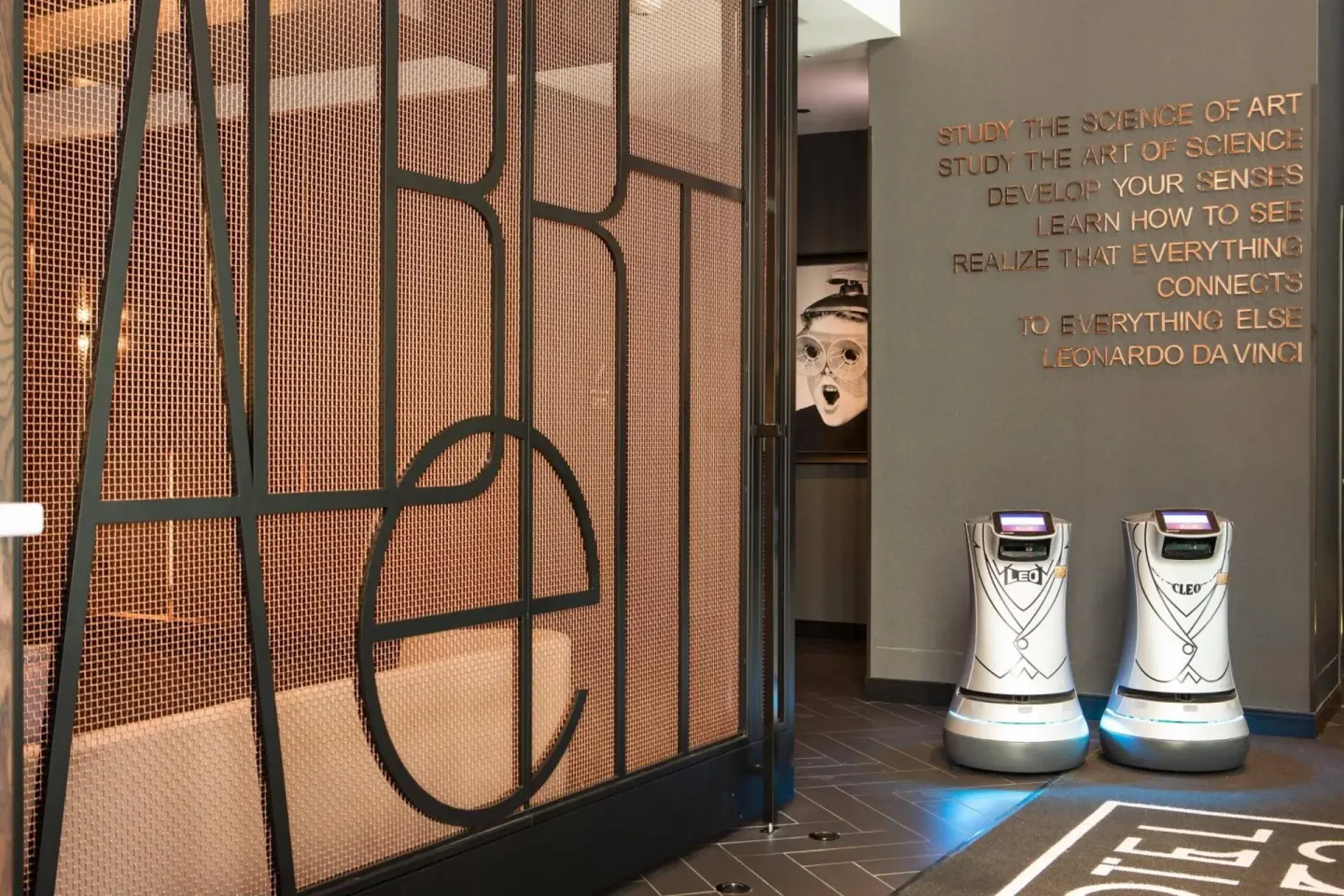
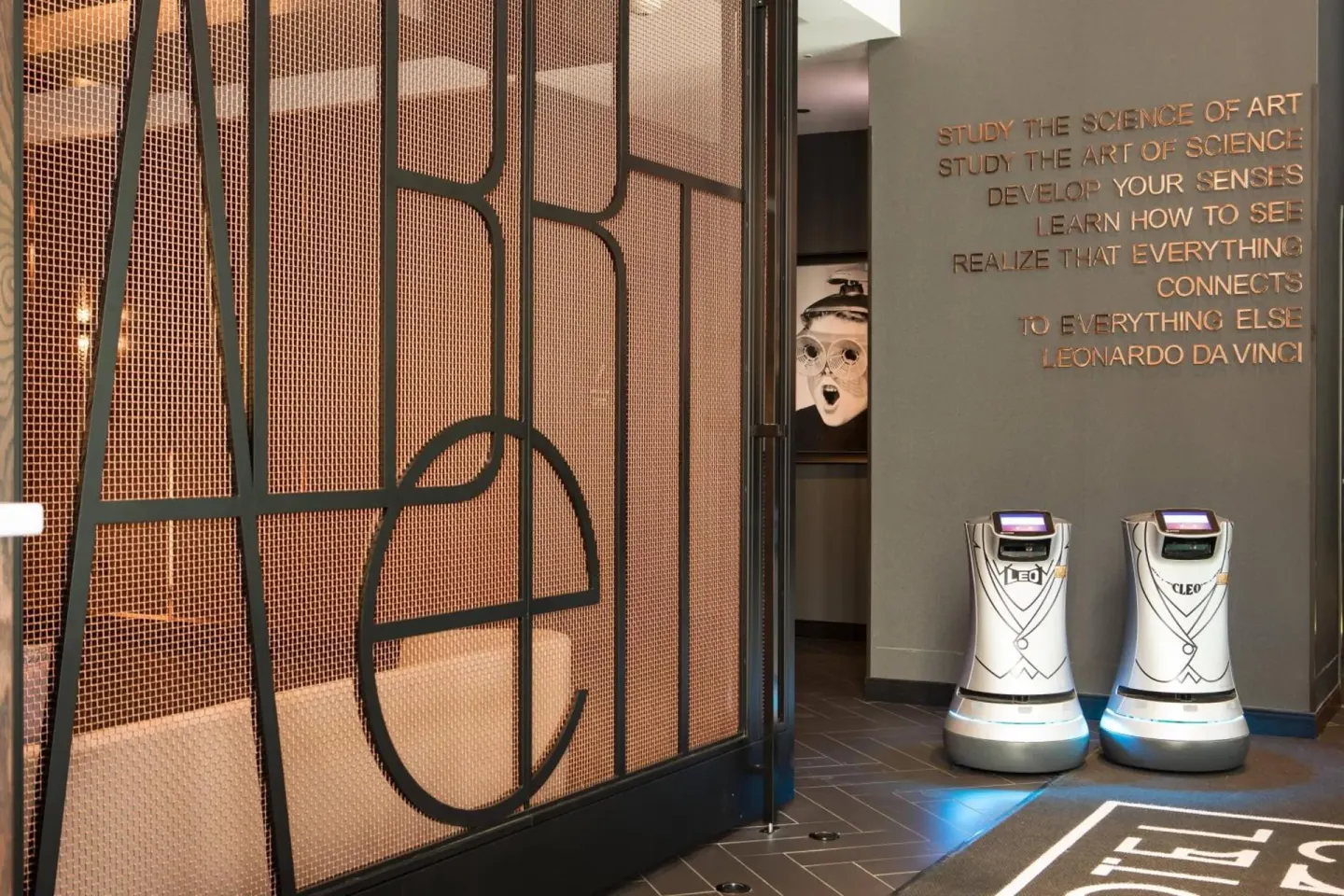
Hotel EMC2 uses two small service robots (named Leo and Cleo) to deliver snacks and essentials to guest-room doors, and most rooms include Amazon Alexa voice controls, a Smart TV, an in-room refrigerator, and complimentary Wi‑Fi. Robots handle basic deliveries; Alexa and the Smart TV provide voice and streaming controls, while hotel staff remain available for anything robots or in-room tech can’t do.
In this guide
What the robots are and where you’ll see them
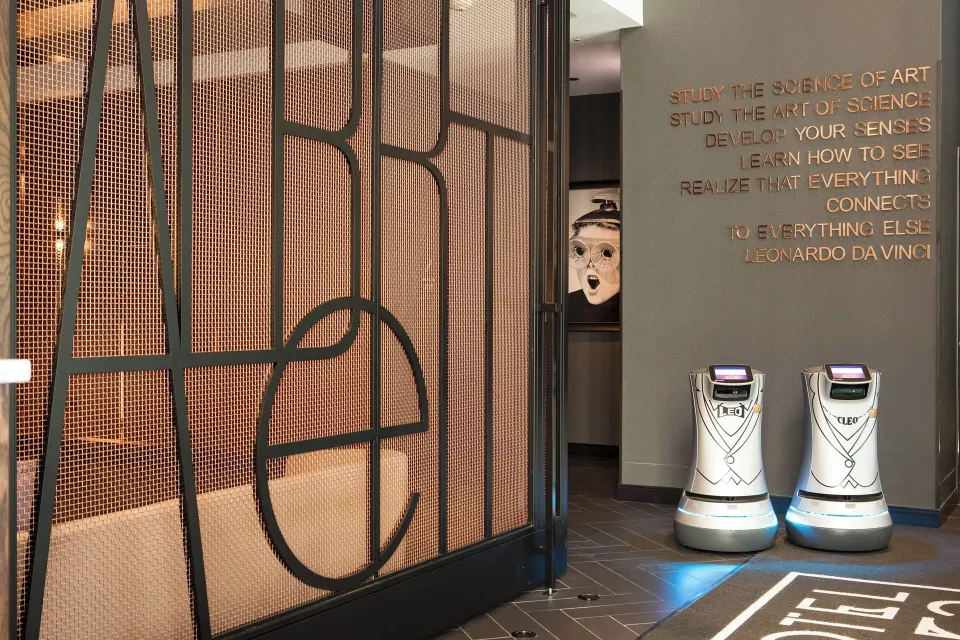
Hotel EMC2 operates two robot room-service attendants called Leo and Cleo that deliver snacks, small items and amenities directly to guest-room doors.
You’ll typically encounter the robots in public areas and the lobby when they’re moving between the kitchen/stock and guest rooms; front-desk staff handle traditional room service and larger deliveries.
- Robot names: Leo and Cleo
- Primary function: deliver snacks and small essentials to guest doors
- Robots operate alongside human staff rather than replacing them
| Where to spot them | Typical role |
|---|---|
| Lobby and corridors | Transit between kitchen/stock and rooms |
| Outside guest-room doors | Guest pick-up of delivered items |
| Event or public spaces (occasionally) | Logistics support for small deliveries |
How robot deliveries work (what to expect)
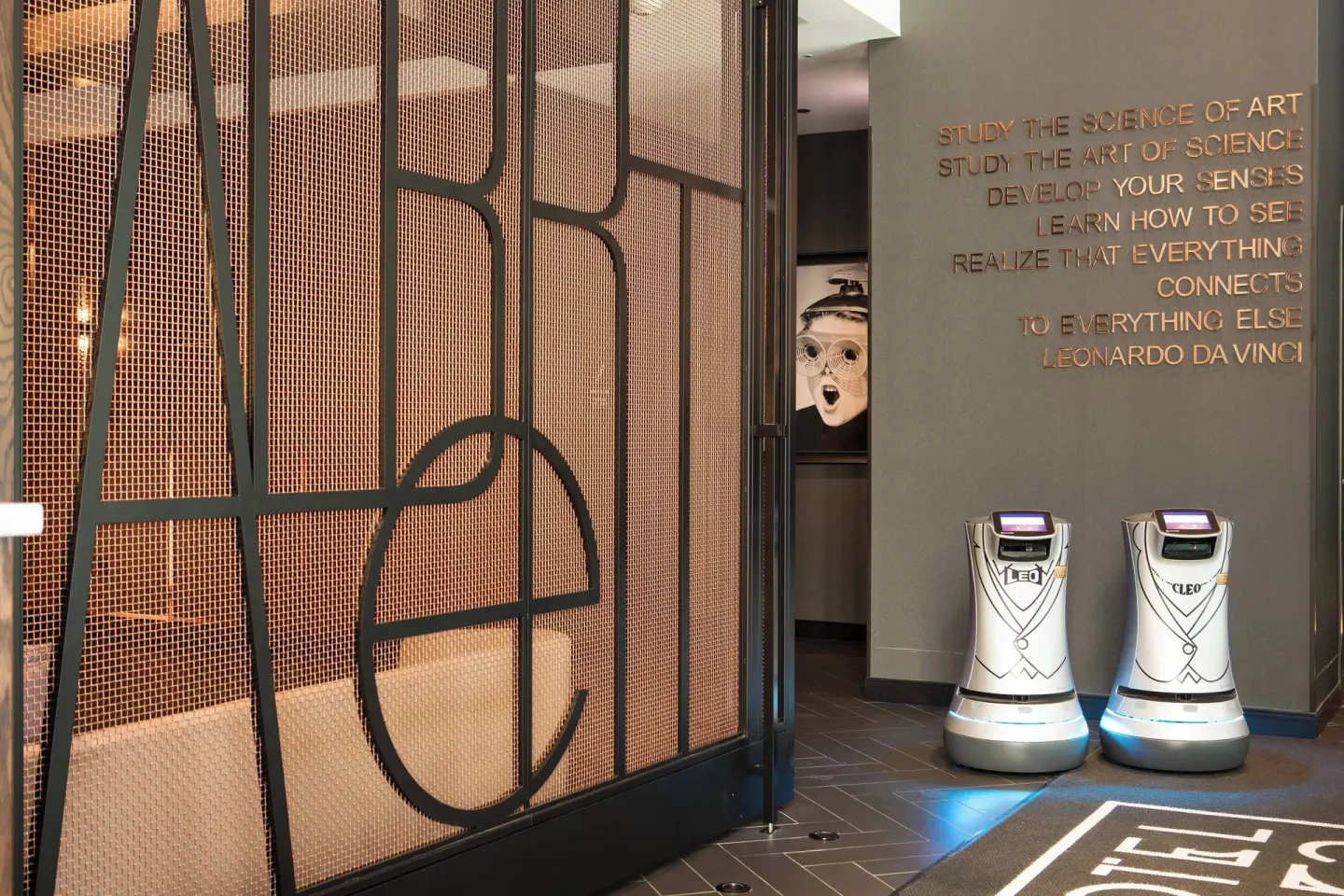
Robots bring items from the hotel’s food and beverage or stock areas to your door. When a delivery is ready, the robot navigates to the assigned room and signals arrival so the guest can retrieve the items.
The robots are intended for snack/amenity deliveries and small orders. For full meals, bulky items, or requests requiring staff assistance, the hotel’s human team provides traditional service.
- Place orders through the hotel’s service channel (ask front desk how to request a robot delivery).
- Wait for a notification or announcement when the robot arrives at your door.
- Retrieve your items from the robot’s compartment; contact staff if the item is missing or needs to be heated/prepared.
| Good for | Not suitable for |
|---|---|
| Snacks, packaged items, small toiletries | Hot/complex plated meals |
| Forgotten essentials or amenity replacements | Large luggage or room setup tasks |
| Quick contactless handoffs | Requests needing in-person service or special handling |
In-room smart controls: Alexa, Smart TV and Wi‑Fi
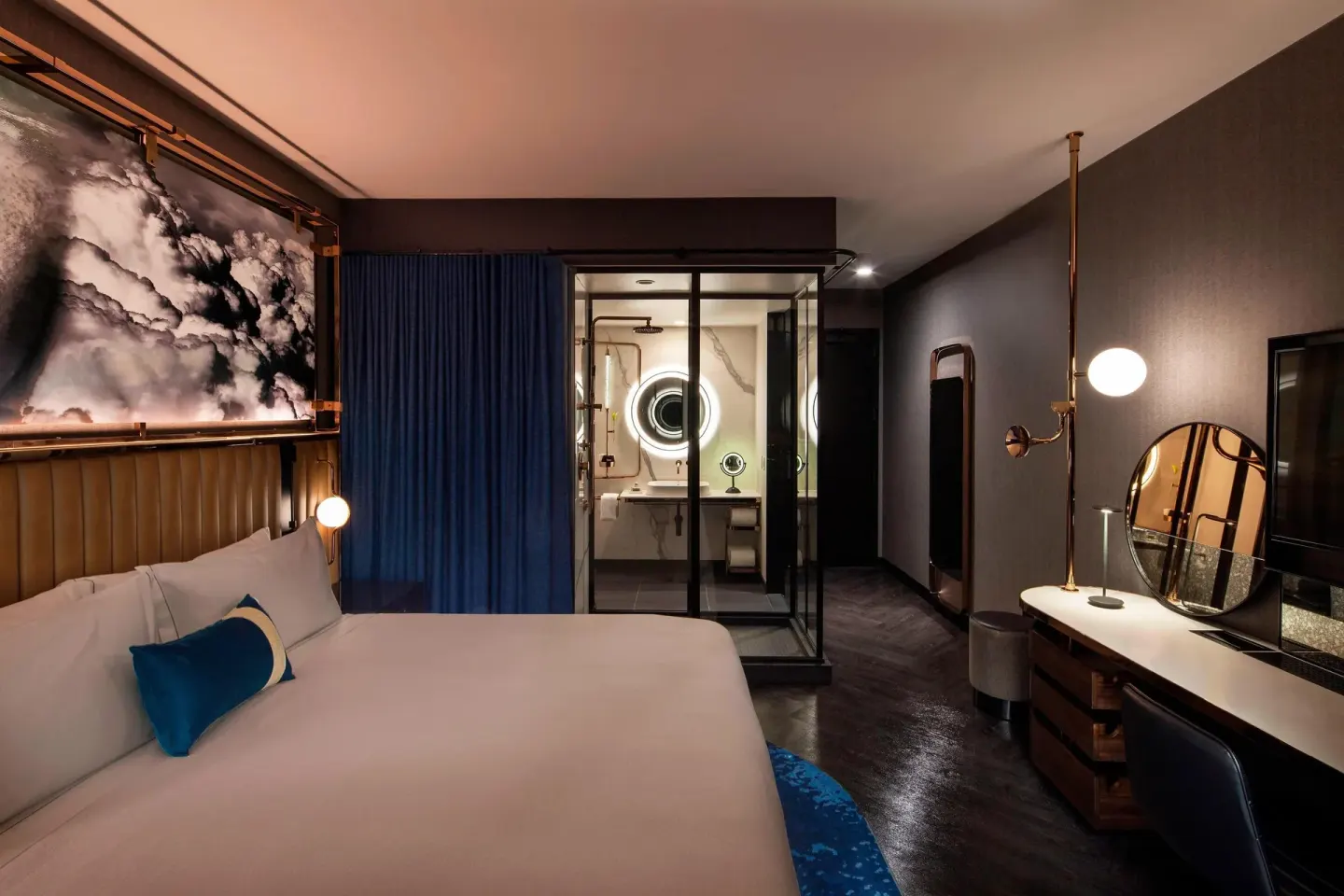
Most guest rooms include Amazon Alexa smart-room controls and a Smart TV. Alexa can perform common in-room functions where enabled (for example, adjusting supported features or answering basic questions); Smart TVs handle streaming and standard entertainment.
Hotel EMC2 provides free Wi‑Fi throughout guest rooms and public areas, which is required for many smart features to function fully. If you have specific streaming accounts or device needs, bring your login credentials or a streaming device.
- Amazon Alexa: available in-room for voice commands (capabilities vary by room and setup).
- Smart TV: supports streaming apps; use your own account to sign in.
- Free Wi‑Fi: available property-wide; speeds and performance can vary with demand.
| Feature | What it does in-room |
|---|---|
| Amazon Alexa | Voice control for supported room functions and information (specific commands vary) |
| Smart TV | Streaming and entertainment; sign in with personal streaming accounts |
| Complimentary Wi‑Fi | Connects devices and enables smart features |
Other in-room tech and appliances
Every room includes a Smart TV and an in-room refrigerator. The hotel’s tech setup also mentions Serta or Tempur‑Pedic mattresses and standard guest conveniences like charging ports and lighting controls, though exact outlets and panels vary by room type.
If you need specialized tech (a travel adapter, extra chargers, or a printer connection), request them at check-in or through the front desk; availability and fees for extra items are handled by hotel staff.
- In-room refrigerator: standard in all rooms
- Smart TV: included in every room for streaming/TV
- Mattresses: Serta Perfect Sleeper or Tempur‑Pedic (varies by room)
| Room tech item | Notes |
|---|---|
| In-room refrigerator | Provided in all rooms |
| Smart TV | Available in all rooms; sign in to personal streaming apps |
| Alexa smart controls | Available in most rooms; check at front desk for room-specific features |
Privacy, security and what the hotel says
Smart-room devices and robot deliveries operate within the hotel’s service systems. If you have privacy concerns about voice assistants or connected devices, ask front desk staff which in-room features are active and whether devices can be muted or disabled in your room.
For any delivery or tech issue (missing item, device not responding, connectivity problems), contact the 24-hour front desk so staff can assist or complete the request manually.
- Ask staff how Alexa is configured in your specific room if privacy is a concern.
- Robots are for deliveries only; they do not enter private spaces beyond the room door.
- Front desk is available 24 hours to handle tech or service requests.
| Issue | Recommended action |
|---|---|
| Robot delivery failed | Contact front desk to resend items or arrange human delivery |
| Alexa or smart device not responding | Call front desk to troubleshoot or request the device be reset/disabled |
| Wi‑Fi problems | Front desk can provide network details and basic troubleshooting |
Practical tips for guests who want to use the robots and tech
If you plan to use robot delivery, place orders through the hotel’s service channel and provide clear room information at the time of request. Expect robots to require a short wait while traveling corridors and arriving at your door.
Bring streaming account logins for the Smart TV and confirm Wi‑Fi credentials at check-in. If you prefer not to use Alexa, ask front desk staff about muting or deactivating voice features in your room.
- Ask at check-in how to request a robot delivery and whether there are size or item restrictions.
- Keep phone handy for delivery notifications and to contact front desk if a robot can’t reach your door.
- Use your own streaming logins on the Smart TV for uninterrupted viewing.
| Before you arrive | Why it helps |
|---|---|
| Know your room name (e.g., Room, 1 King Bed or Room, 2 Queen Beds) | Makes ordering and deliveries faster |
| Bring charger and streaming logins | Eases use of Smart TV and connected devices |
| Ask front desk about Alexa setup | Clarifies privacy and available voice features |